

人脸照片比对
企业用户实名使用个人用户实名使用个人用户无法使用
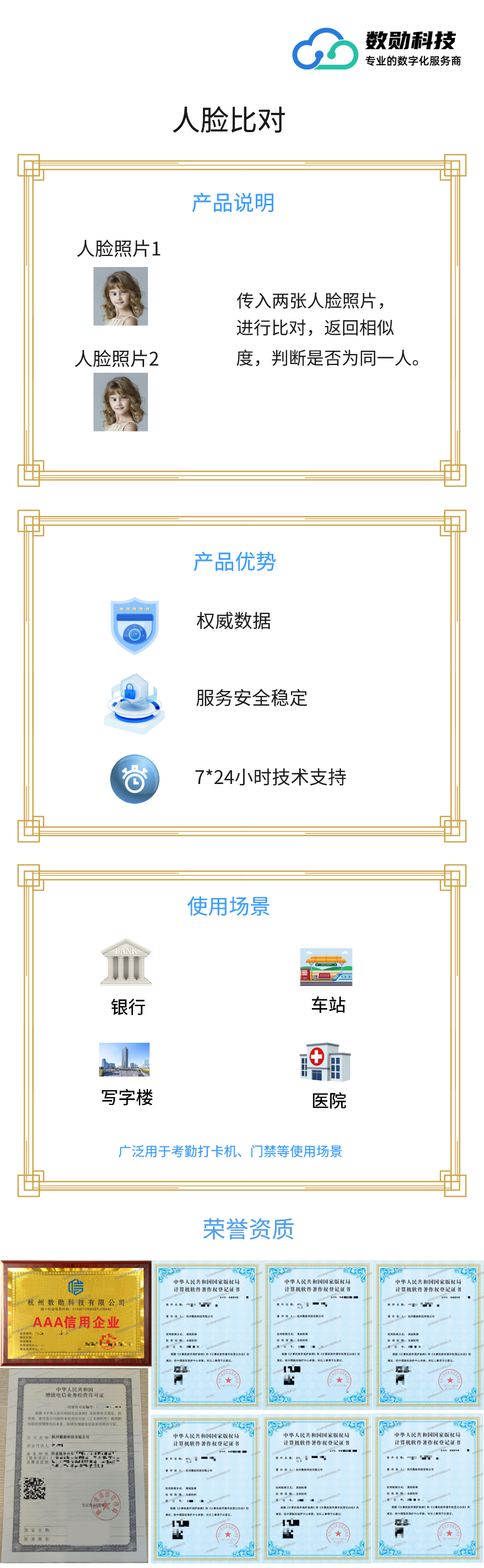
传入两张人脸照片,进行比对,返回相似度,验证两张人脸照片是否为同一人,常用图片格式都支持,建议图片大小不超过1M,保证五官清晰可见。支持多种图片格式,识别准确率超过99%,更快、更精准。
价格
¥0元/5次
新用户免费体验,自购买起有效期1个月
选择套餐:
接口名称:人脸比对
描述:两张人脸照片比较是否同一人
请求地址 url:https://api.shuxuntech.com/v1/faceCompare/check
请求方式 method:post
请求Content-Type: application/x-www-form-urlencoded
参数:
| 名称 | 参数位置 | 类型 | 是否必填 | 说明 |
|---|---|---|---|---|
| appKey | head | string | 是 | 数勋分配appKey |
| timestamp | head | string | 是 | unix时间毫秒值 |
| sign | head | string | 是 | 签名,说明 |
| image1 | body | string | 否 | 第一张人脸照片base64,不超过1mb |
| imgUrl1 | body | string | 否 | 第一张人脸图片url,不超过1mb |
| image2 | body | string | 否 | 第二张人脸照片base64,不超过1mb |
| imgUrl2 | body | string | 否 | 第二张人脸图片url,不超过1mb |
签名算法说明:
数勋分配的appKey、当前unix时间毫秒值timestamp、数勋分配的appSecret、 按顺序拼接sha256加密得到sign,查看如下示例
appKey = aaa;
timestamp = 1682476904289;
appSecret = bbb;
sign = sha256(appKey+timestamp+appSecret)
正确返回:
{
    "code": "0",
    "msg": "成功",
    "isFee": 1,
    "seqNo": "9hi5fht958638y0egkjpo8udjs76vgwx",
    "data": {
        "result": 1,
        "resultDesc": "比对成功,有数据",
        "confidence": 97.389,
        "threshold": {
            "threshold1": 62.327,
            "threshold2": 69.101,
            "threshold3": 73.975
        }
    }
}
错误返回:
{
    "code": "1",
    "msg": "必须上传2张人脸照片",
    "isFee": 0,
    "seqNo": null,
    "data": null
}
返回字段描述:
| 字段名 | 类型 | 描述 |
|---|---|---|
| code | string | 错误码 |
| msg | string | 错误描述 |
| isFee | int | 是否计费(1:计费,0:不计费) |
| seqNo | string | 调用流水号 |
| data | object | 返回数据 |
data对象说明
| 字段名 | 类型 | 描述 |
|---|---|---|
| result | int | 比对结果 |
| resultDesc | string | 比对结果描述 |
| confidence | double | 置信度分数 |
| threshold | object | 置信度阈值 |
result比对结果说明
| 字段值 | 描述 |
|---|---|
| 1 | 比对成功,有数据 |
| 2 | 比对成功,无数据 |
| 3 | 比对失败,无法正确解析、未按要求传入参数、下载图片超时 |
threshold置信度阈值说明
| 字段值 | 描述 |
|---|---|
| threshold1 | 一级 |
| threshold2 | 二级,建议分数超过二级则可判定为是同一人 |
| threshold3 | 三级 |
code错误码说明
| code | 说明 |
|---|---|
| 0 | 成功 |
| 1 | 参数错误 |
| 2 | 无记录 |
| 3 | 第三方服务异常 |
| 4 | 签名错误 |
| 5 | 余额不足 |
| 6 | 调用频率超限 |
| 7 | 账号停用 |
| 8 | 接口已停用 |
| 9 | 联系服务商开通接口权限 |
| 10 | ip不在白名单 |
| 11 | 系统异常 |
| 12 | 实名状态错误 |
| 99 | 其他异常,具体返回为准 |
人脸比对
                                                         import java.io.BufferedReader;
import java.io.InputStream;
import java.io.InputStreamReader;
import java.net.HttpURLConnection;
import java.net.URL;
import java.net.URLEncoder;
import java.security.MessageDigest;

/**
 * 人脸比对 - Java 示例代码
 * 接口地址:https://api.shuxuntech.com/v1/faceCompare/check
 *
 * 说明:本示例只使用 JDK 原生 API(java.net / java.security),不依赖任何第三方 jar 包,
 *      也不需要本项目的工具类,复制到本地即可编译运行:
 *          javac FaceCompareDemo.java
 *          java FaceCompareDemo
 */
public class FaceCompareDemo {

    /** 数勋分配的 appKey,请替换为您自己的 appKey */
    private static final String APP_KEY = "您的appKey";
    /** 数勋分配的 appSecret,请替换为您自己的 appSecret */
    private static final String APP_SECRET = "您的appSecret";
    /** 接口地址 */
    private static final String API_URL = "https://api.shuxuntech.com/v1/faceCompare/check";
    /** 图片1 base64 */
    private static final String IMAGE1 = "";
    /** 图片1 url */
    private static final String IMG_URL1 = "";
    /** 图片2 base64 */
    private static final String IMAGE2 = "";
    /** 图片2 url */
    private static final String IMG_URL2 = "";

    public static void main(String[] args) throws Exception {
        // 1、当前 unix 时间毫秒值,服务端要求与服务器时间相差不能超过 5 分钟
        String timestamp = String.valueOf(System.currentTimeMillis());

        // 2、签名:按顺序拼接 appKey + timestamp + appSecret 后做 sha256,得到小写十六进制字符串
        String sign = sha256Hex(APP_KEY + timestamp + APP_SECRET);

        // 3、业务参数,拼成表单内容
        String body = "image1=" + urlEncode(IMAGE1) + "&" + "imgUrl1=" + urlEncode(IMG_URL1) + "&" + "image2=" + urlEncode(IMAGE2) + "&" + "imgUrl2=" + urlEncode(IMG_URL2);

        // 4、发起 POST 请求,appKey、timestamp、sign 放在请求头
        HttpURLConnection conn = (HttpURLConnection) new URL(API_URL).openConnection();
        conn.setRequestMethod("POST");
        conn.setDoOutput(true);
        conn.setRequestProperty("Content-Type", "application/x-www-form-urlencoded; charset=UTF-8");
        conn.setRequestProperty("appKey", APP_KEY);
        conn.setRequestProperty("timestamp", timestamp);
        conn.setRequestProperty("sign", sign);
        conn.setConnectTimeout(10000);
        conn.setReadTimeout(20000);
        conn.getOutputStream().write(body.getBytes("UTF-8"));

        int status = conn.getResponseCode();
        // 5、读取返回内容:报错时读错误流,避免只拿到一个异常看不到原因
        InputStream in = (status >= 200 && status < 300) ? conn.getInputStream() : conn.getErrorStream();
        String result = readAll(in);
        conn.disconnect();

        System.out.println("HTTP状态码=" + status);
        System.out.println("返回结果=" + result);
    }

    /**
     * sha256 加密,返回小写十六进制字符串
     * 服务端校验签名用的就是这个算法(小写十六进制)
     */
    private static String sha256Hex(String content) throws Exception {
        byte[] bytes = MessageDigest.getInstance("SHA-256").digest(content.getBytes("UTF-8"));
        StringBuilder sb = new StringBuilder(bytes.length * 2);
        for (byte b : bytes) {
            sb.append(Character.forDigit((b >> 4) & 0xF, 16));
            sb.append(Character.forDigit(b & 0xF, 16));
        }
        return sb.toString();
    }

    /** url 编码,中文参数需要编码 */
    private static String urlEncode(String value) throws Exception {
        return URLEncoder.encode(value, "UTF-8");
    }

    /** 读取输入流内容 */
    private static String readAll(InputStream in) throws Exception {
        if (in == null) {
            return "";
        }
        StringBuilder sb = new StringBuilder();
        BufferedReader reader = new BufferedReader(new InputStreamReader(in, "UTF-8"));
        try {
            String line;
            while ((line = reader.readLine()) != null) {
                sb.append(line);
            }
        } finally {
            reader.close();
        }
        return sb.toString();
    }
}
                                                         # 人脸比对 - Python 示例代码
# 接口地址:https://api.shuxuntech.com/v1/faceCompare/check
#
# 说明:只使用 Python 标准库(urllib / hashlib / time),不需要 pip 安装任何第三方包,
#      保存为 face_compare_demo.py 后直接执行 python face_compare_demo.py 即可。

import hashlib
import time
import urllib.error
import urllib.parse
import urllib.request

# 数勋分配的 appKey,请替换为您自己的 appKey
APP_KEY = "您的appKey"
# 数勋分配的 appSecret,请替换为您自己的 appSecret
APP_SECRET = "您的appSecret"
# 接口地址
API_URL = "https://api.shuxuntech.com/v1/faceCompare/check"
# 图片1 base64
IMAGE1 = ""
# 图片1 url
IMG_URL1 = ""
# 图片2 base64
IMAGE2 = ""
# 图片2 url
IMG_URL2 = ""


def sha256_hex(content):
    """sha256 加密,返回小写十六进制字符串,服务端校验签名用的就是这个算法"""
    return hashlib.sha256(content.encode("utf-8")).hexdigest()


def main():
    # 1、当前 unix 时间毫秒值,服务端要求与服务器时间相差不能超过 5 分钟
    timestamp = str(int(time.time() * 1000))

    # 2、签名:按顺序拼接 appKey + timestamp + appSecret 后做 sha256
    sign = sha256_hex(APP_KEY + timestamp + APP_SECRET)

    # 3、业务参数
    params = {}
    params["image1"] = IMAGE1
    params["imgUrl1"] = IMG_URL1
    params["image2"] = IMAGE2
    params["imgUrl2"] = IMG_URL2
    data = urllib.parse.urlencode(params)

    # 4、发起 POST 请求,appKey、timestamp、sign 放在请求头
    request = urllib.request.Request(API_URL, data=data.encode("utf-8"), method="POST")
    request.add_header("Content-Type", "application/x-www-form-urlencoded; charset=UTF-8")
    request.add_header("appKey", APP_KEY)
    request.add_header("timestamp", timestamp)
    request.add_header("sign", sign)

    # 5、读取返回内容:报错时也把返回体读出来,避免只拿到一个异常看不到原因
    try:
        with urllib.request.urlopen(request, timeout=20) as response:
            status = response.getcode()
            body = response.read().decode("utf-8")
    except urllib.error.HTTPError as e:
        status = e.code
        body = e.read().decode("utf-8")

    print("HTTP状态码=" + str(status))
    print("返回结果=" + body)

if __name__ == "__main__":
    main()
                                                         <?php
/**
 * 人脸比对 - PHP 示例代码
 * 接口地址:https://api.shuxuntech.com/v1/faceCompare/check
 *
 * 说明:只使用 PHP 内置函数,不需要 composer 安装任何依赖,也不需要 curl 扩展,
 *      保存为 face_compare_demo.php 后直接执行 php face_compare_demo.php 即可。
 */

// 数勋分配的 appKey,请替换为您自己的 appKey
$appKey = "您的appKey";
// 数勋分配的 appSecret,请替换为您自己的 appSecret
$appSecret = "您的appSecret";
// 接口地址
$url = "https://api.shuxuntech.com/v1/faceCompare/check";
// 图片1 base64
$image1 = "";
// 图片1 url
$imgUrl1 = "";
// 图片2 base64
$image2 = "";
// 图片2 url
$imgUrl2 = "";

// 1、当前 unix 时间毫秒值,服务端要求与服务器时间相差不能超过 5 分钟
$timestamp = sprintf('%.0f', microtime(true) * 1000);

// 2、签名:按顺序拼接 appKey + timestamp + appSecret 后做 sha256
$sign = hash('sha256', $appKey . $timestamp . $appSecret);

// 3、业务参数
$params = array(
    'image1' => $image1,
    'imgUrl1' => $imgUrl1,
    'image2' => $image2,
    'imgUrl2' => $imgUrl2,
);
$body = http_build_query($params);

// 4、发起 POST 请求,appKey、timestamp、sign 放在请求头
$context = stream_context_create(array(
    'http' => array(
        'method' => 'POST',
        'header' => "Content-Type: application/x-www-form-urlencoded; charset=UTF-8\r\n"
            . "appKey: {$appKey}\r\n"
            . "timestamp: {$timestamp}\r\n"
            . "sign: {$sign}\r\n",
        'content' => $body,
        'timeout' => 20,
        // 返回 4xx、5xx 时也把返回体读出来,方便排查
        'ignore_errors' => true,
    ),
));
$result = file_get_contents($url, false, $context);
// 打印结果
if (!empty($http_response_header[0])) {
    echo "HTTP状态=" . $http_response_header[0] . PHP_EOL;
}
echo "返回结果=" . $result . PHP_EOL;
                                                         using System;
using System.Collections.Generic;
using System.Net.Http;
using System.Security.Cryptography;
using System.Text;

/**
 * 人脸比对 - C# 示例代码
 * 接口地址:https://api.shuxuntech.com/v1/faceCompare/check
 *
 * 说明:只使用 .NET 基础类库(System.Net.Http / System.Security.Cryptography),不依赖任何第三方包。
 *      需要 .NET Framework 4.5 及以上,或 .NET Core / .NET 5 及以上;
 *      保存为 FaceCompareDemo.cs 后,用 dotnet run 或 VS 控制台项目直接运行即可。
 */
public class FaceCompareDemo
{
    /** 数勋分配的 appKey,请替换为您自己的 appKey */
    private const string AppKey = "您的appKey";
    /** 数勋分配的 appSecret,请替换为您自己的 appSecret */
    private const string AppSecret = "您的appSecret";
    /** 接口地址 */
    private const string ApiUrl = "https://api.shuxuntech.com/v1/faceCompare/check";
    /** 图片1 base64 */
    private const string Image1 = "";
    /** 图片1 url */
    private const string ImgUrl1 = "";
    /** 图片2 base64 */
    private const string Image2 = "";
    /** 图片2 url */
    private const string ImgUrl2 = "";

    public static void Main(string[] args)
    {
        // 1、当前 unix 时间毫秒值,服务端要求与服务器时间相差不能超过 5 分钟
        long millis = (long)(DateTime.UtcNow - new DateTime(1970, 1, 1, 0, 0, 0, DateTimeKind.Utc)).TotalMilliseconds;
        string timestamp = millis.ToString();

        // 2、签名:按顺序拼接 appKey + timestamp + appSecret 后做 sha256
        string sign = Sha256Hex(AppKey + timestamp + AppSecret);

        // 3、业务参数
        Dictionary<string, string> form = new Dictionary<string, string>();
        form.Add("image1", Image1);
        form.Add("imgUrl1", ImgUrl1);
        form.Add("image2", Image2);
        form.Add("imgUrl2", ImgUrl2);
        string body = ToFormBody(form);

        // 4、发起 POST 请求,appKey、timestamp、sign 放在请求头
        using (HttpClient client = new HttpClient())
        {
            client.Timeout = TimeSpan.FromSeconds(20);
            client.DefaultRequestHeaders.Add("appKey", AppKey);
            client.DefaultRequestHeaders.Add("timestamp", timestamp);
            client.DefaultRequestHeaders.Add("sign", sign);

            StringContent content = new StringContent(body, Encoding.UTF8, "application/x-www-form-urlencoded");
            HttpResponseMessage response = client.PostAsync(ApiUrl, content).GetAwaiter().GetResult();

            // 5、读取返回内容,4xx、5xx 时 HttpClient 不会抛异常,这里同样能拿到返回体
            string resultText = response.Content.ReadAsStringAsync().GetAwaiter().GetResult();

            Console.WriteLine("HTTP状态码=" + (int)response.StatusCode);
            Console.WriteLine("返回结果=" + resultText);
        }
    }

    /** 拼装 application/x-www-form-urlencoded 内容,中文参数需要编码 */
    private static string ToFormBody(Dictionary<string, string> form)
    {
        StringBuilder sb = new StringBuilder();
        foreach (KeyValuePair<string, string> item in form)
        {
            if (sb.Length > 0)
            {
                sb.Append("&");
            }
            sb.Append(Uri.EscapeDataString(item.Key)).Append("=").Append(Uri.EscapeDataString(item.Value));
        }
        return sb.ToString();
    }

    /** sha256 加密,返回小写十六进制字符串,服务端校验签名用的就是这个算法 */
    private static string Sha256Hex(string content)
    {
        using (SHA256 sha256 = SHA256.Create())
        {
            byte[] bytes = sha256.ComputeHash(Encoding.UTF8.GetBytes(content));
            StringBuilder sb = new StringBuilder(bytes.Length * 2);
            foreach (byte b in bytes)
            {
                sb.Append(b.ToString("x2"));
            }
            return sb.ToString();
        }
    }
}
                                                         // 人脸比对 - Node.js 示例代码
// 接口地址:https://api.shuxuntech.com/v1/faceCompare/check
//
// 说明:只使用 Node.js 内置模块(https / crypto),不需要 npm 安装任何第三方包,
//      保存为 face_compare_demo.js 后直接执行 node face_compare_demo.js 即可(需 Node 10 及以上)。

const https = require('https');
const crypto = require('crypto');

// 数勋分配的 appKey,请替换为您自己的 appKey
const APP_KEY = '您的appKey';
// 数勋分配的 appSecret,请替换为您自己的 appSecret
const APP_SECRET = '您的appSecret';
// 接口地址
const API_URL = 'https://api.shuxuntech.com/v1/faceCompare/check';
// 图片1 base64
const IMAGE1 = '';
// 图片1 url
const IMG_URL1 = '';
// 图片2 base64
const IMAGE2 = '';
// 图片2 url
const IMG_URL2 = '';

// sha256 加密,返回小写十六进制字符串,服务端校验签名用的就是这个算法
function sha256Hex(content) {
    return crypto.createHash('sha256').update(content, 'utf8').digest('hex');
}

// 打印返回结果
function printResult(statusCode, body) {
    console.log('HTTP状态码=' + statusCode);
    console.log('返回结果=' + body);
}

// 1、当前 unix 时间毫秒值,服务端要求与服务器时间相差不能超过 5 分钟
const timestamp = String(Date.now());

// 2、签名:按顺序拼接 appKey + timestamp + appSecret 后做 sha256
const sign = sha256Hex(APP_KEY + timestamp + APP_SECRET);

// 3、业务参数,放在请求体里(中文由 URLSearchParams 自动 URL 编码)
const body = new URLSearchParams({ image1: IMAGE1, imgUrl1: IMG_URL1, image2: IMAGE2, imgUrl2: IMG_URL2 }).toString();

// 4、发起 POST 请求,appKey、timestamp、sign 放在请求头
const request = https.request(API_URL, {
    method: 'POST',
    headers: {
        appKey: APP_KEY,
        timestamp: timestamp,
        sign: sign,
        'Content-Type': 'application/x-www-form-urlencoded; charset=UTF-8',
        'Content-Length': Buffer.byteLength(body)
    },
    timeout: 20000
}, function (response) {
    // 5、读取返回内容:即使报错(4xx、5xx)也能拿到返回体,避免只看到异常看不到原因
    let respBody = '';
    response.setEncoding('utf8');
    response.on('data', function (chunk) { respBody += chunk; });
    response.on('end', function () { printResult(response.statusCode, respBody); });
});

request.on('timeout', function () {
    request.destroy();
    console.log('请求超时');
});

request.on('error', function (err) {
    console.log('请求异常=' + err.message);
});

request.write(body);
request.end();
                                                         // 人脸比对 - Go 示例代码
// 接口地址:https://api.shuxuntech.com/v1/faceCompare/check
//
// 说明:只使用 Go 标准库(net/http、crypto/sha256、encoding/hex 等),不需要引入任何第三方包,
//      保存为 face_compare_demo.go 后直接执行 go run face_compare_demo.go 即可。
package main

import (
	"crypto/sha256"
	"encoding/hex"
	"fmt"
	"io"
	"net/http"
	"net/url"
	"strings"
	"time"
)

// 数勋分配的 appKey,请替换为您自己的 appKey
const appKey = "您的appKey"

// 数勋分配的 appSecret,请替换为您自己的 appSecret
const appSecret = "您的appSecret"

// 接口地址
const apiURL = "https://api.shuxuntech.com/v1/faceCompare/check"
// 图片1 base64
const image1 = ""
// 图片1 url
const imgUrl1 = ""
// 图片2 base64
const image2 = ""
// 图片2 url
const imgUrl2 = ""

// sha256 加密,返回小写十六进制字符串,服务端校验签名用的就是这个算法
func sha256Hex(content string) string {
	sum := sha256.Sum256([]byte(content))
	return hex.EncodeToString(sum[:])
}

func main() {
	// 1、当前 unix 时间毫秒值,服务端要求与服务器时间相差不能超过 5 分钟
	timestamp := fmt.Sprintf("%d", time.Now().UnixNano()/int64(time.Millisecond))

	// 2、签名:按顺序拼接 appKey + timestamp + appSecret 后做 sha256
	sign := sha256Hex(appKey + timestamp + appSecret)

	// 3、业务参数,放在请求体里(url.Values 会自动对中文做 URL 编码)
	form := url.Values{}
	form.Set("image1", image1)
	form.Set("imgUrl1", imgUrl1)
	form.Set("image2", image2)
	form.Set("imgUrl2", imgUrl2)
	requestBody := form.Encode()

	// 4、发起 POST 请求,appKey、timestamp、sign 放在请求头
	req, err := http.NewRequest("POST", apiURL, strings.NewReader(requestBody))
	if err != nil {
		fmt.Println("创建请求失败=" + err.Error())
		return
	}
	req.Header.Set("Content-Type", "application/x-www-form-urlencoded; charset=UTF-8")
	req.Header.Set("appKey", appKey)
	req.Header.Set("timestamp", timestamp)
	req.Header.Set("sign", sign)

	client := &http.Client{Timeout: 20 * time.Second}
	resp, err := client.Do(req)
	if err != nil {
		fmt.Println("请求异常=" + err.Error())
		return
	}
	defer resp.Body.Close()

	// 5、读取返回内容:即使报错(4xx、5xx)也能拿到返回体
	body, _ := io.ReadAll(resp.Body)

	fmt.Println("HTTP状态码=" + resp.Status)
	fmt.Println("返回结果=" + string(body))
}
                                                         #!/usr/bin/env bash
# 人脸比对 - curl 示例代码
# 接口地址:https://api.shuxuntech.com/v1/faceCompare/check
#
# 说明:只依赖系统自带的 curl 和 openssl(用于计算 sha256),不需要安装任何第三方工具,
#      保存为 face_compare_demo.sh 后直接执行 bash face_compare_demo.sh 即可。
#      如果系统没有 openssl,可把下面 SIGN 那一行换成注释里的 sha256sum 写法。

# 数勋分配的 appKey,请替换为您自己的 appKey
APP_KEY="您的appKey"
# 数勋分配的 appSecret,请替换为您自己的 appSecret
APP_SECRET="您的appSecret"
# 接口地址
API_URL="https://api.shuxuntech.com/v1/faceCompare/check"
# 图片1 base64
IMAGE1=""
# 图片1 url
IMG_URL1=""
# 图片2 base64
IMAGE2=""
# 图片2 url
IMG_URL2=""

# 1、当前 unix 时间毫秒值,服务端要求与服务器时间相差不能超过 5 分钟
TIMESTAMP=$(($(date +%s) * 1000))

# 2、签名:按顺序拼接 appKey + timestamp + appSecret 后做 sha256,得到小写十六进制字符串
#    没有 openssl 时可用: SIGN=$(printf '%s' "${APP_KEY}${TIMESTAMP}${APP_SECRET}" | sha256sum | awk '{print $1}')
SIGN=$(printf '%s' "${APP_KEY}${TIMESTAMP}${APP_SECRET}" | openssl dgst -sha256 | awk '{print $NF}')

# 3、业务参数放在请求体里(--data-urlencode 会自动对中文做 URL 编码)

# 4、发起 POST 请求,appKey、timestamp、sign 放在请求头
# 5、-w 参数在返回内容后打印 HTTP 状态码,便于查看结果
curl -sS -X POST "${API_URL}" \
    -H "appKey: ${APP_KEY}" \
    -H "timestamp: ${TIMESTAMP}" \
    -H "sign: ${SIGN}" \
    --data-urlencode "image1=${IMAGE1}" \
    --data-urlencode "imgUrl1=${IMG_URL1}" \
    --data-urlencode "image2=${IMAGE2}" \
    --data-urlencode "imgUrl2=${IMG_URL2}" \
    -w "\nHTTP状态码=%{http_code}\n"
java
python
php
c#
nodejs
go
curl
产品详情
API文档
示例代码
产品价格